Environment: SharePoint 2016 Enterprise RTM, Windows Server 2012 R2
Scenario: Install SharePoint 2016 Enterprise RTM and configure
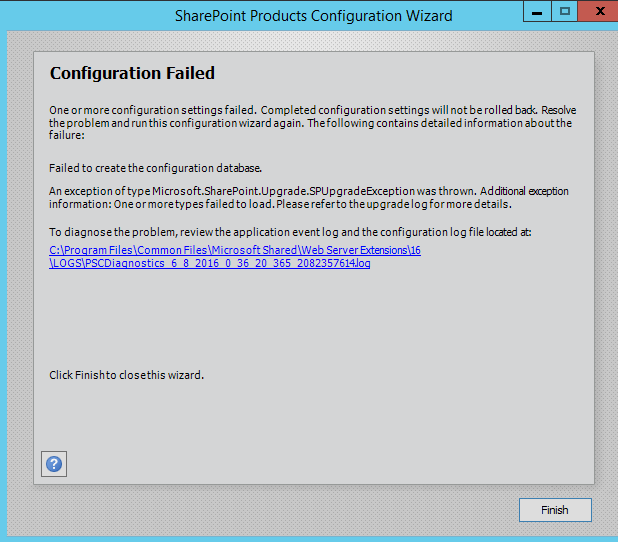
Issue: The SharePoint Products Configuration Wizard failed throwing ‘One or more types failed to load’
Troubleshooting:
- Looked into the configuration log file and noticed the following error message
Could not load file or assembly 'Microsoft.Data.OData, Version=5.6.0.0, Culture=neutral’

- Download and Install the WCF Data Services Client for OData package and NuGet package Manager
- Use NuGet package manager to install the OData package
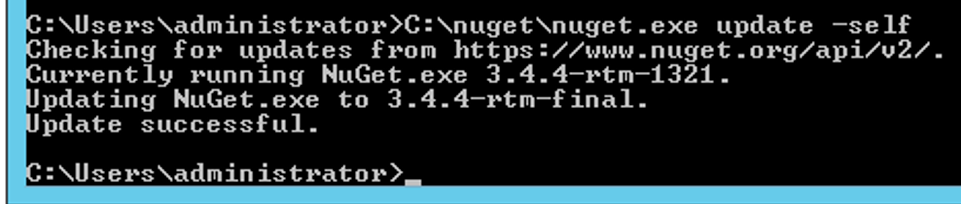
- Upgrade if you already have NuGet in your machine using following command
Nuget.exe update –self (This automatically get the update from web using your internet)
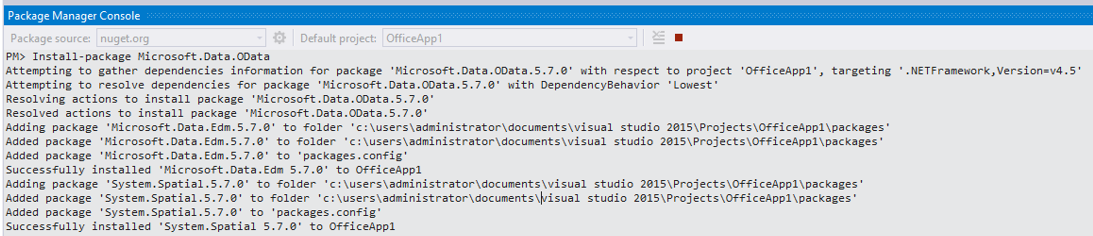
- The package can be installed from Visual Studio by navigating to Tools > NuGet Package Manager > Package Manager Console

- Make sure that you open a sample web project and execute the following command to install the package.
Install-package Microsoft.Data.OData
- Run the configuration wizard again successfully

Why would i install Visual Studio to get a NuGet package on my sharepoint server?
ReplyDeleteInstalling Visual Studio is not mandatory. It was one way to access the NuGet Package Manager and install the required package.
DeleteYou can alternatively download nuget.exe directly from the NuGet website and use the command line to manage packages without installing Visual Studio.